
Logseq Copilot
Notes for the page you are on
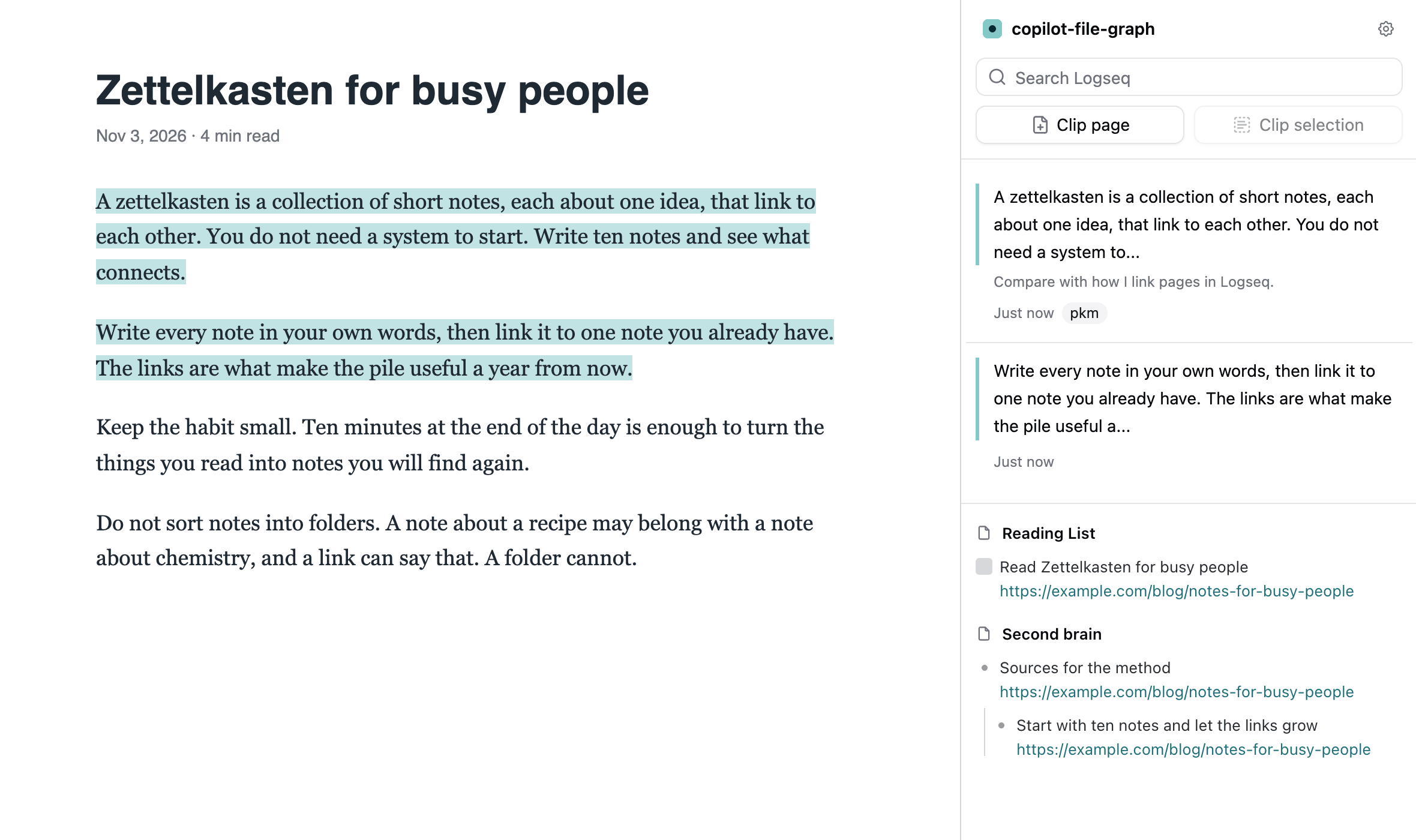
Click the toolbar icon on any page. The sidebar lists the highlights you saved there and the notes in your graph that mention its address, under a search of your graph and the clip buttons.
It opens in the browser’s own sidebar: the side panel in Chrome and Edge, the sidebar in Firefox. In Arc, and in browsers without one, it is drawn on the page.
SidebarRecall rules
Tune the recall for a website: ignore the URL hash or query, exclude or prefer keywords, search or skip certain pages, cap the number of results.
Recall rules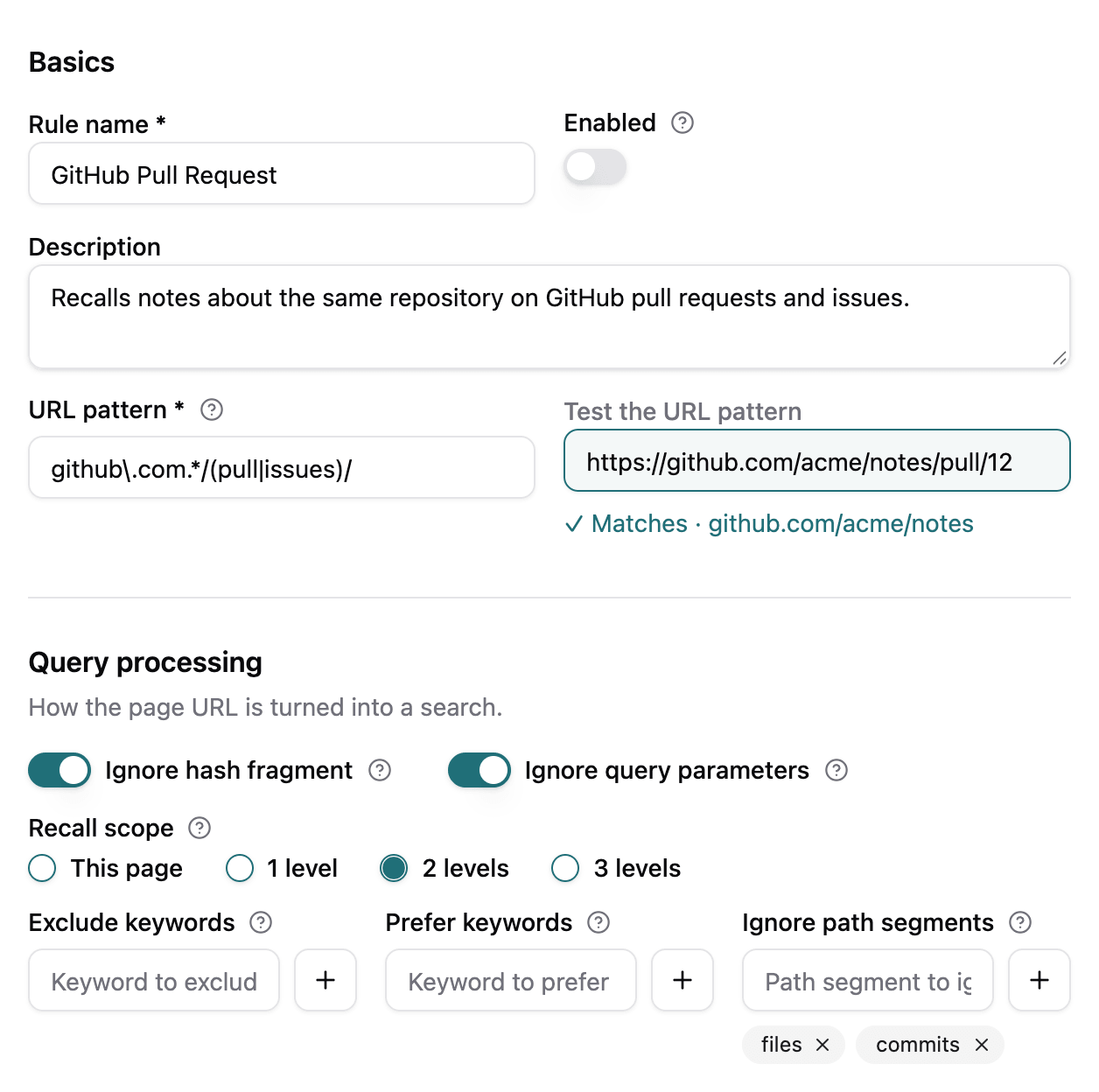
Notes next to your search
On Google, Bing, DuckDuckGo, Kagi and other search engines, the blocks and pages of your graph that match your query show up beside the results.
Search engines →Clip with templates
Clip a selection, or the page link, into your journal, the current page or a page of your choice, in the shape of a template you write.
Clipping & templates →Highlight comments
A clipped selection stays highlighted on the page. Click it to add a note. Highlights and notes are stored in your browser.
Highlight comments →Built for your graph and your privacy
Section titled “Built for your graph and your privacy”File graphs and DB graphs
Logseq 0.10 and Logseq 2.x. The extension finds out which one is open.
Your notes stay yours
The extension only talks to the Logseq HTTP API server you run. Its panels on web pages sit in a closed shadow root, so scripts of the page cannot read your Logseq search results.
Chrome, Edge and Firefox
Firefox 127 or later. Safari is not supported. The interface follows the theme of the page and of your system, in light and dark.
What’s new in 2.0
Section titled “What’s new in 2.0”Logseq Copilot 2.0 supports Logseq DB graphs next to file graphs, runs on Firefox, adds recall rules, page highlights with comments and templated clipping, and moves the highlights list into the browser’s own sidebar. The extension is rebuilt on the WXT framework. Read what’s new in 2.0